 What is Two Factor Authentication (2FA) | Multi Factor Authentication Guide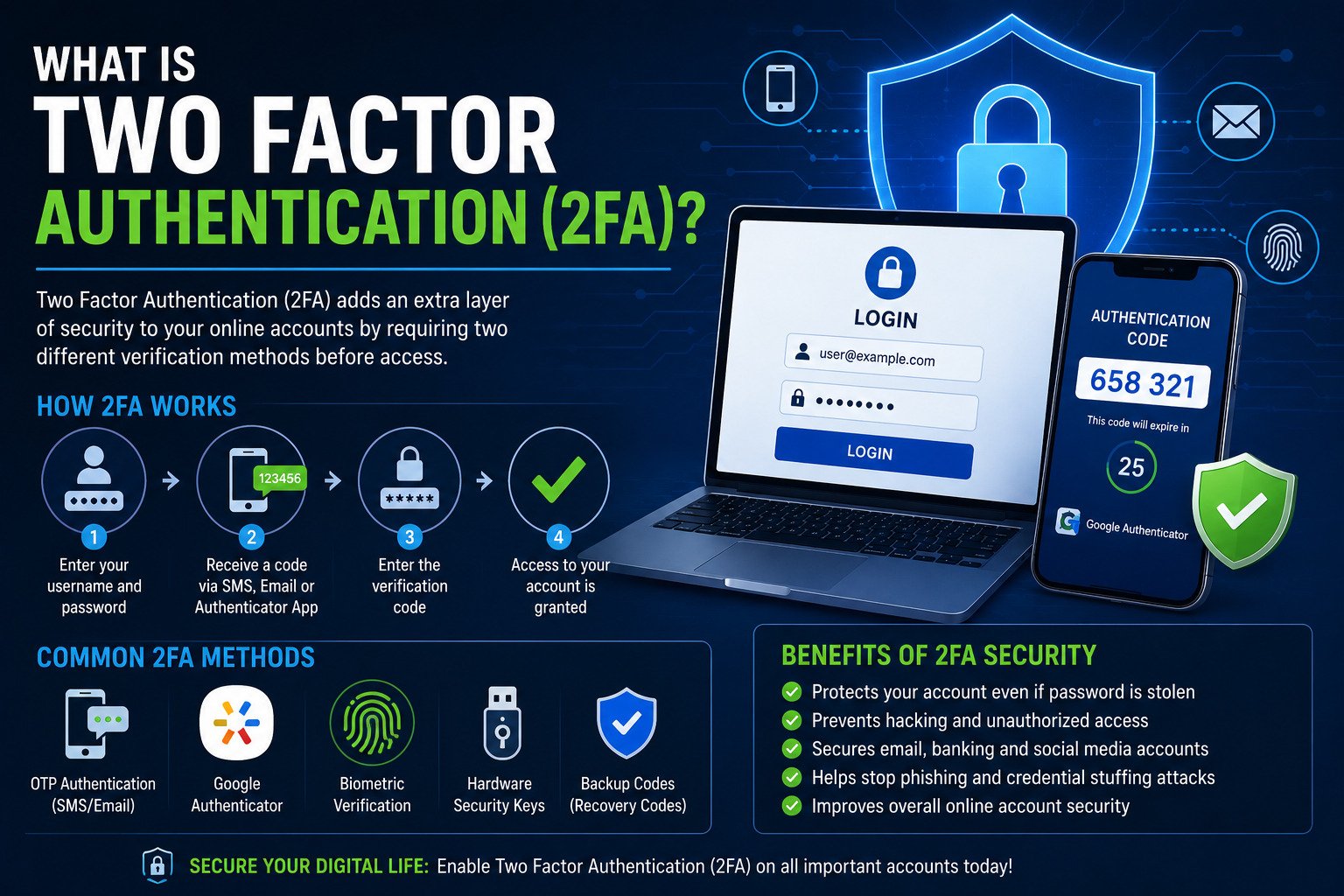
Cybersecurity threats and password leaks are increasing rapidly across the internet. Two factor authentication, also known as 2FA security, adds an extra layer of protection to online accounts and secure login methods.
What is Two Factor Authentication?
Two factor authentication is a security system that requires users to verify their identity using two different authentication methods before accessing online accounts.
Traditional passwords alone are no longer enough for online account security. 2FA security improves protection by adding a second verification method such as OTP authentication, fingerprint scanning, or authentication apps.
How 2FA Security Works
| Authentication Step | Description |
|---|---|
| Password Verification | User enters username and password |
| OTP Authentication | One-time password sent through SMS or email |
| Google Authenticator | Authentication app generates secure login codes |
| Biometric Verification | Fingerprint or face recognition security |
Why Multi Factor Authentication is Important
Multi factor authentication reduces hacking risks and protects users from phishing attacks, password leaks, and cyber fraud. Secure login methods help prevent unauthorized access even if passwords are compromised.
- Improves online account security
- Protects banking accounts
- Prevents password hacking
- Secures email accounts
- Reduces phishing attack risks
Best Secure Login Methods
- OTP authentication
- Google Authenticator app
- Biometric authentication
- Hardware security keys
- Email verification codes
What is Google Authenticator?
Google Authenticator is one of the most popular 2FA security apps. It generates time-based secure login codes that users must enter along with their passwords.
Benefits of Two Factor Authentication
- Extra protection against hackers
- Safer online banking
- Improved account privacy
- Better password security
- Reduced cyber fraud risk
Difference Between 2FA and MFA
Two factor authentication uses exactly two verification methods, while multi factor authentication may include multiple security layers such as passwords, biometrics, OTP codes, and security devices.
How to Enable 2FA Security
- Open your account security settings
- Enable two factor authentication
- Select OTP authentication or Google Authenticator
- Verify your phone number or authentication app
- Save backup recovery codes securely
Create Strong Passwords for Better Security
Generate strong passwords instantly and improve your online account security with secure password combinations.
Generate Strong PasswordOnline Account Security Best Practices
- Use strong passwords for every account
- Enable 2FA security everywhere possible
- Avoid suspicious links and phishing emails
- Update passwords regularly
- Use secure password managers
Frequently Asked Questions
Is two factor authentication safe?
Yes, two factor authentication significantly improves online account security and reduces hacking risks.
Can hackers bypass 2FA security?
While no system is completely perfect, 2FA security makes hacking much more difficult for cybercriminals.
Which is better: OTP authentication or Google Authenticator?
Google Authenticator is generally more secure because SMS OTP authentication can sometimes be targeted through SIM swap attacks.